4. My Space
“My Space” is the user’s personal area, containing an overview of the data stored on their account.
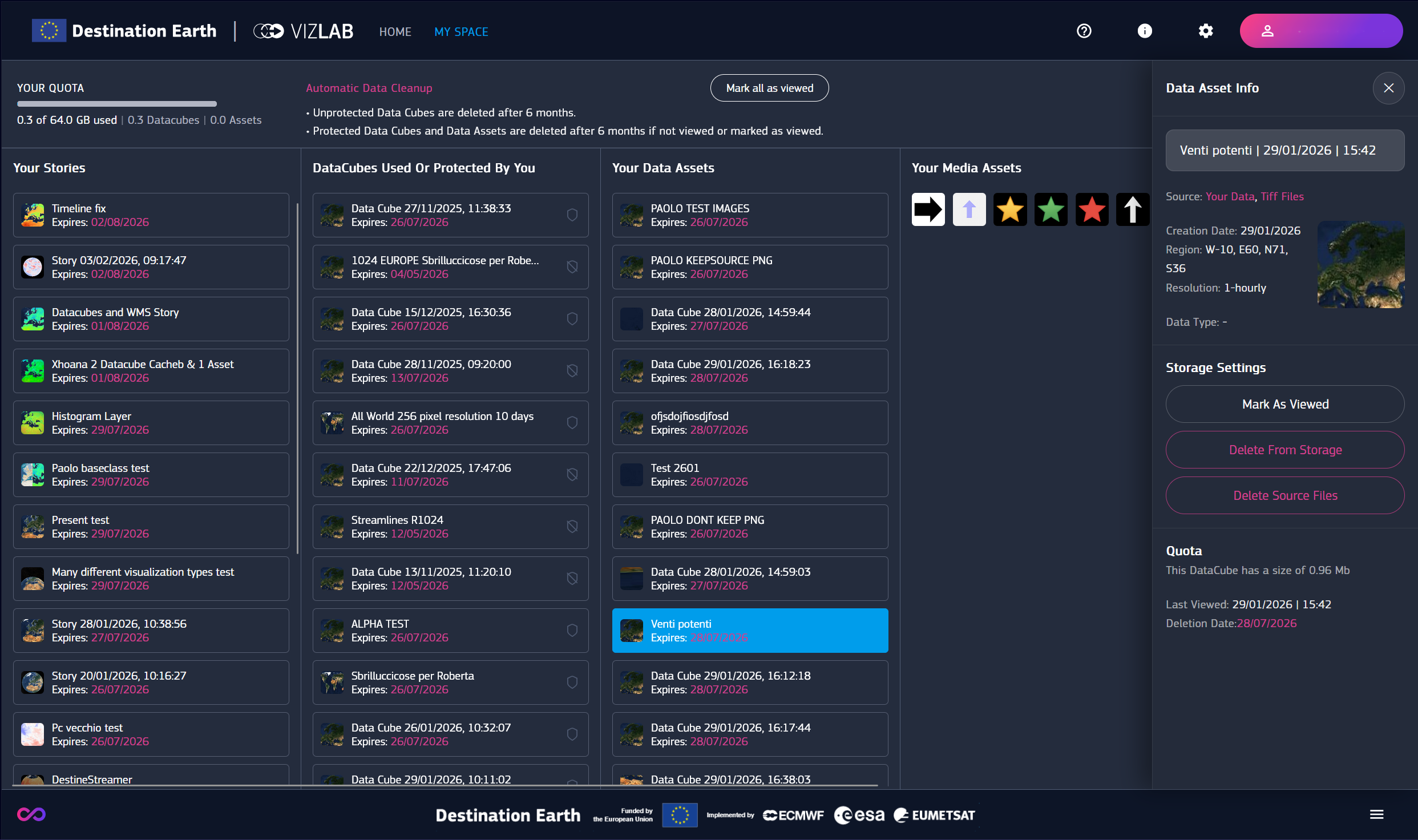
Fig. 4.1 My Space
Below this area are listed Stories, Data Cubes and Data and Media Assets related to the account. The inspector on the right provides information of the selected resource.
4.1. Your Stories
- The inspector provides the full information of a story :
Published
Last modify
Deletion
Id
Type
Autoplay
Assets used in this story
List of data cubes used in this story
4.2. Your Data Cubes
- Data cubes information appearing in the inspector is :
Name
Region
Data range
Resolution
Quota graph
Last viewed
Scheduled deletion date
List of stories that use the data cube
To make sure a data cube is always available for your stories, it’s recommended to save it in your space, because there is no guarantee someone else would not delete it.
4.3. Your Data Assets
A data asset can be any data uploaded by the user (at the moment only in map category).
As map category data are composed by tiff or images that are also compressed as a video for smoothing playback, but keeping the source files so to have maximum resolution when needed, in order to save user quota, it is possible to delete only source files.
- Assets information appearing in the inspector is :
Name
Region
Data range
Resolution
Quota graph
Last viewed
Scheduled deletion date
List of stories that use the asset
4.4. Your Media Assets
A media asset can be any image used in a story.
- Assets information in the inspector include :
File Name
Quota used
Deletion date
List of stories that use the Asset