6. Upload Your Own Data
Data Offer provides an alternative way to create datacubes by selecting Upload your own data, which spawns a window to upload data from the local device. It’s possible to upload single images and videos, or multiple images, along with the parameters :
Start time
Temporal Resolution
Sample Duration
Region Coordinates
Datacube name
Projection (WGS84 or Mercator)
- Supported formats :
Image : JPG, PNG, TIFF
Video : MP4, WebM
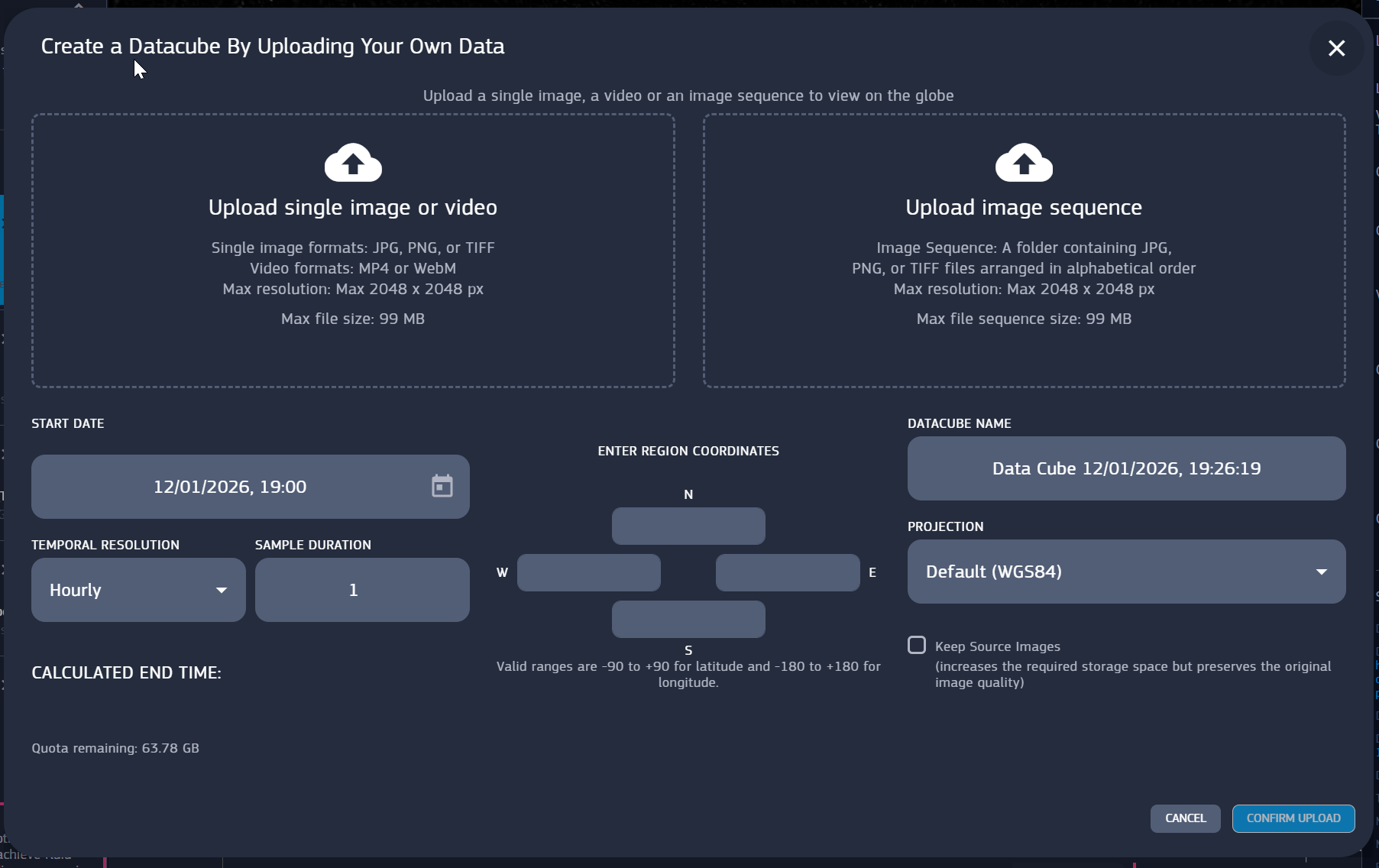
Fig. 6.1 Upload data panel
It’s worth to make a distinction between data cubes and users own data. While data cubes are public and can be used by anyone, no matter who created them, user data are private by default. The only way to make them visible is to publish a story containing them in edit mode. In that case, anyone can save a copy of the story on their account, which implies saving a copy of the data involved in the story as well. (You cannot have a saved story in your storage without having saved the related data).